Booking Preferences

Booking Preferences

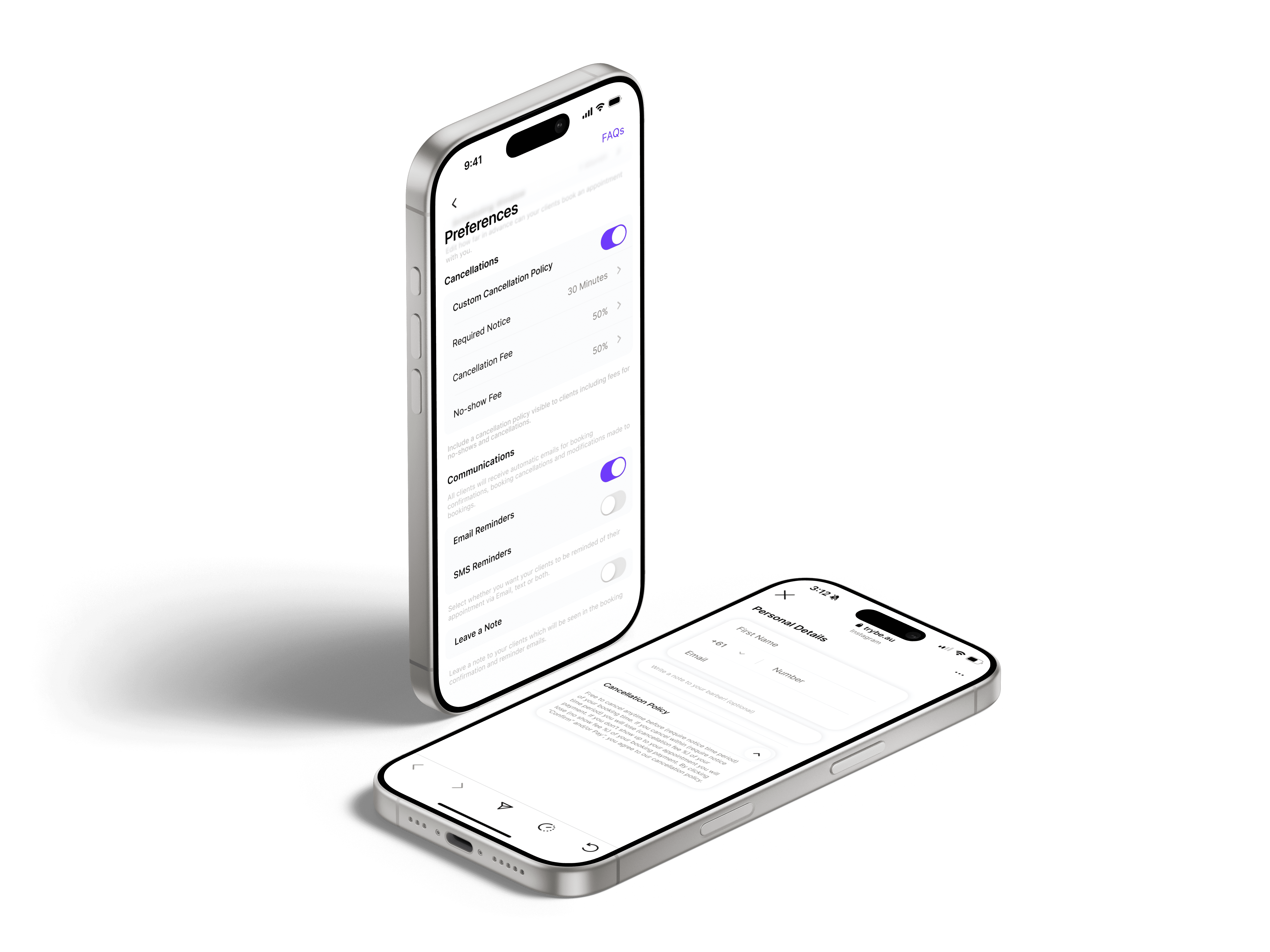
Control how and when clients can book with you. Set booking notice, scheduling limits, reminders, and messages to match how you run your day.

Control how and when clients can book with you. Set booking notice, scheduling limits, reminders, and messages to match how you run your day.

How far in advance can clients book with me?

You can set a scheduling window that controls how far ahead clients are allowed to book appointments, giving you better control over your availability.

Do I have to pay for SMS reminders for clients?

No. SMS reminders are fully covered by Trybe, so you won’t be charged for sending reminder texts to your clients.

What booking preferences can I customise?

You can manage booking notice requirements, scheduling windows, reminders, and client notes — all from your booking preferences.
How do I take a payment with Quick Checkout?

Open Quick Checkout by pressing the Trybe logo in your app, enter the amount, and let your client tap their card or phone to pay. Payments are completed in seconds using Tap to Pay on iPhone or manual entry, making it ideal for fast checkouts without interrupting your workflow.

How are payments processed?

All payments are processed securely through Stripe Connect and paid directly into your connected bank account. Trybe never holds your funds, and you can track payments clearly through your Stripe dashboard.

Can I use this for walk-ins or add-ons?

Yes. Quick Checkout is built for fast, flexible payments like walk-ins, late add-ons, or deposits.