75+ Business Analytics

75+ Business Analytics

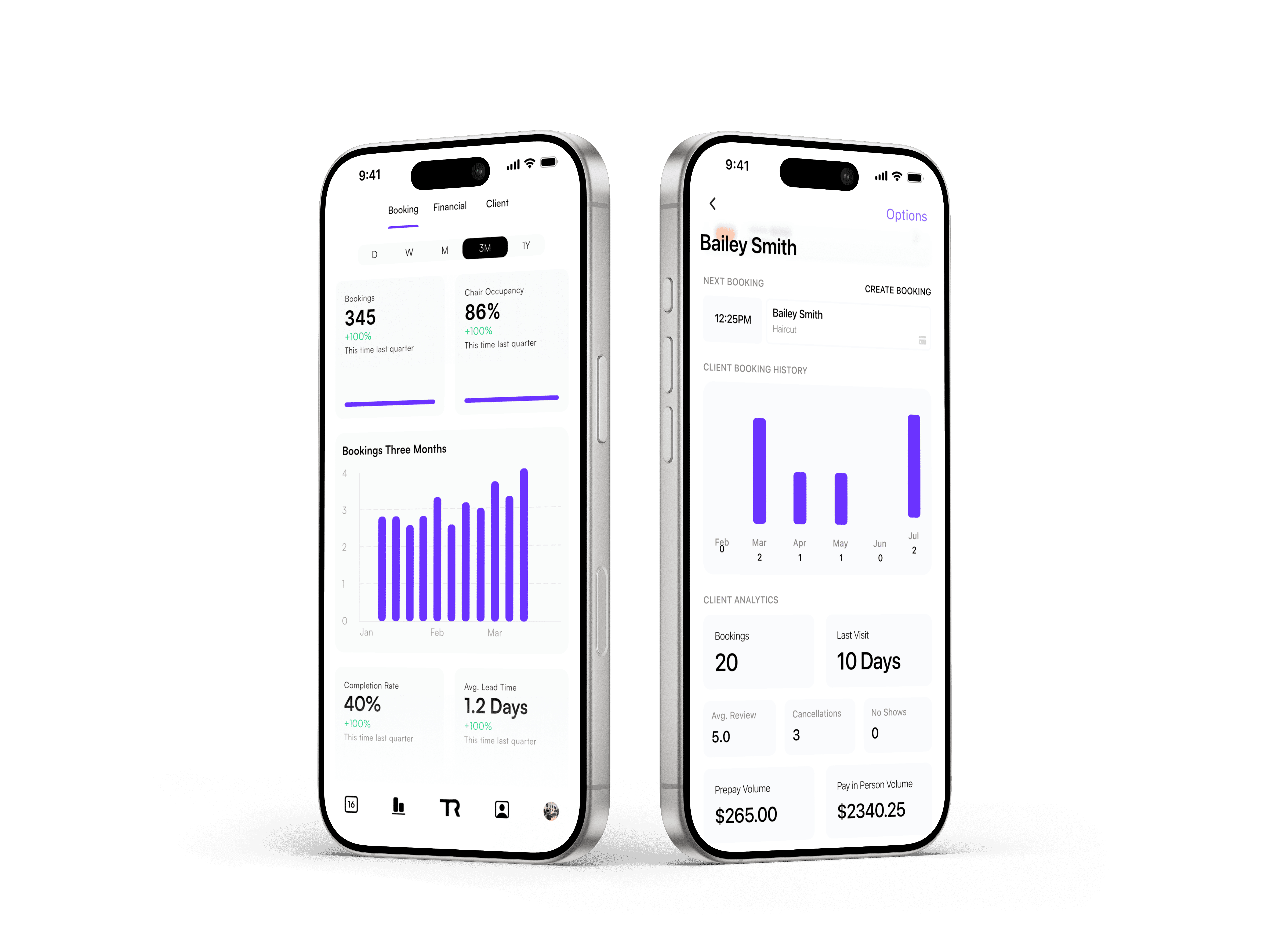
Get clear insights into your business with 75+ performance analytics. Track bookings, client behaviour, and trends over time at a glance, so you always know exactly how your business is performing.


Get clear insights into your business with 75+ performance analytics. Track bookings, client behaviour, and trends over time at a glance, so you always know exactly how your business is performing.


What kind of performance data can I see?

You can view detailed booking, financial, and client performance metrics, all broken down into clear, easy-to-read cards and charts.

Can I compare performance over different time periods?

Yes. You can switch between daily, weekly, monthly, and longer-term views to see how your performance changes over time.

What client insights are included?

You’ll see key client metrics like total clients, satisfaction ratings, retention, no-shows, and growth, all in one place so you can quickly understand how your client base is tracking.

How do I take a payment with Quick Checkout?

Open Quick Checkout by pressing the Trybe logo in your app, enter the amount, and let your client tap their card or phone to pay. Payments are completed in seconds using Tap to Pay on iPhone or manual entry, making it ideal for fast checkouts without interrupting your workflow.

How are payments processed?

All payments are processed securely through Stripe Connect and paid directly into your connected bank account. Trybe never holds your funds, and you can track payments clearly through your Stripe dashboard.

Can I use this for walk-ins or add-ons?

Yes. Quick Checkout is built for fast, flexible payments like walk-ins, late add-ons, or deposits.